

Your OpenStack clouds,
on your iPhone and iPad
OS Client talks to your cloud's APIs directly, the way the openstack CLI does. Import your clouds.yaml, and you can check quotas, reboot an instance or open a port from wherever you are.
Public beta on TestFlight soon. Free, iOS and iPadOS 17 or later, no account to create.
What you can do
The day-to-day Nova, Neutron, Cinder and Glance work, without opening a laptop or logging in to Horizon.
See every quota
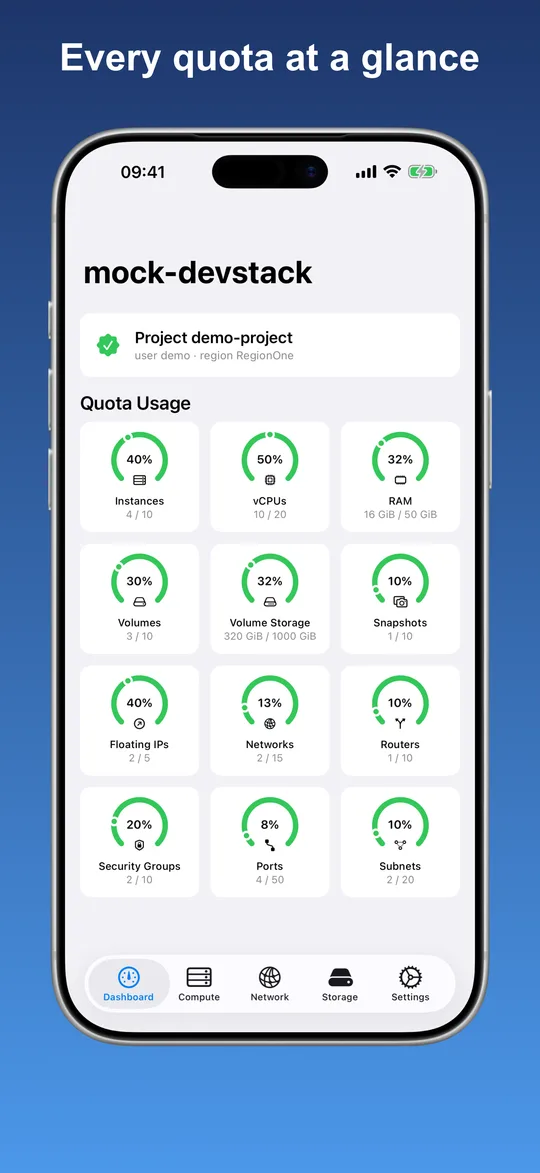
Gauges for instances, vCPUs, RAM, volumes, storage, snapshots, floating IPs, networks, routers, security groups, ports and subnets. Green, orange or red depending on what is left. Also as home and lock screen widgets.
Manage instances
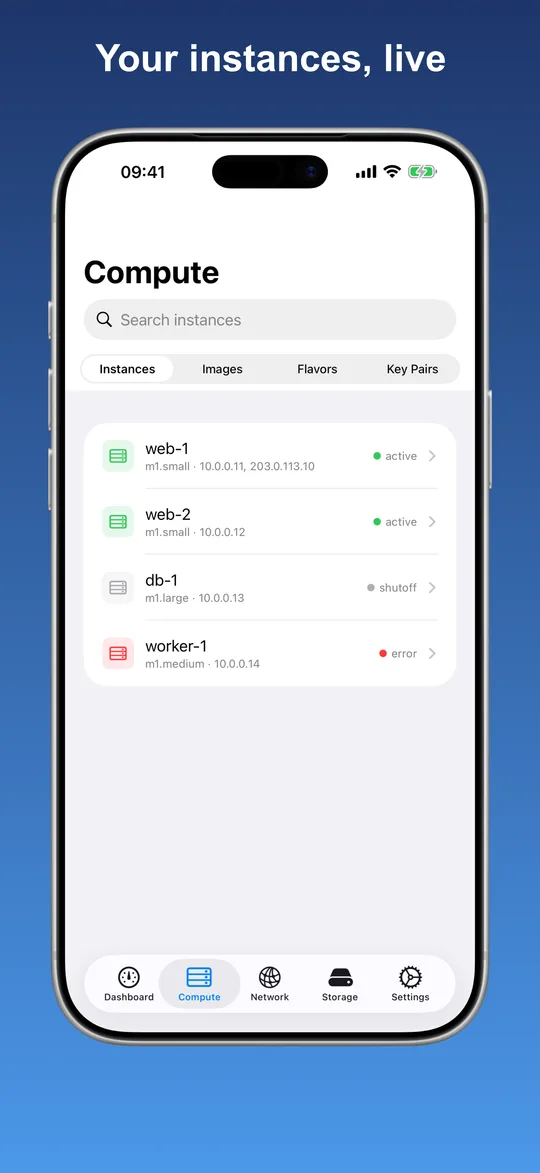
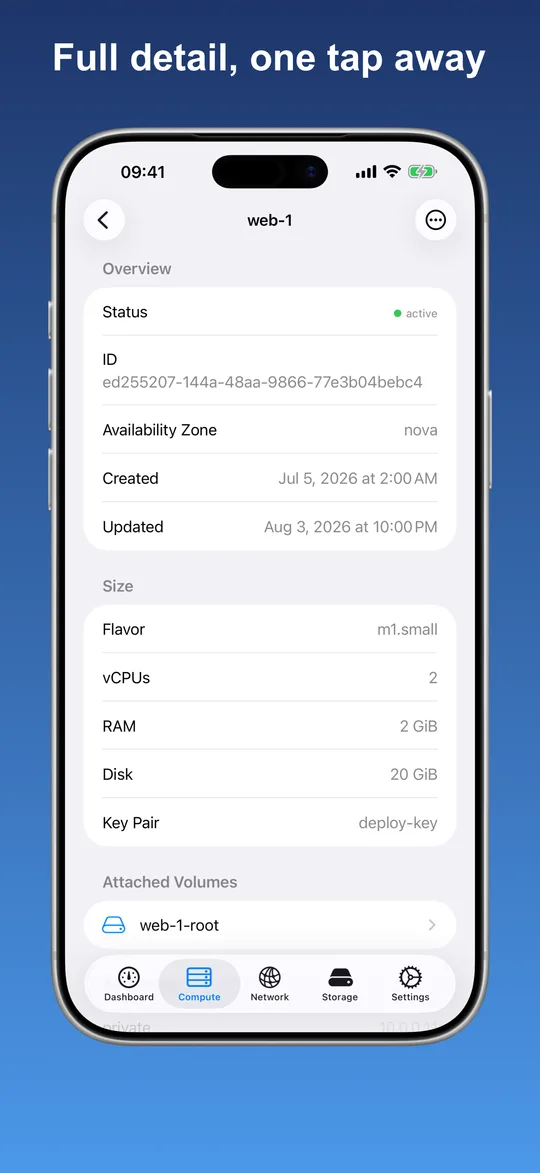
Status, addresses, flavor and fault messages. Start, stop, pause, resume, soft or hard reboot, delete. Browse images and flavors, create or import key pairs.
Launch instances
The same steps as Horizon, on one screen. Boot from an image, snapshot, volume or volume snapshot. Pick networks, ports, security groups, a key pair, a server group and cloud-init user data.
Know when a build finishes
After a launch the app keeps an eye on the instance and sends a notification when it is up, with its address, or with Nova's fault message if it failed.
Floating IPs and security groups
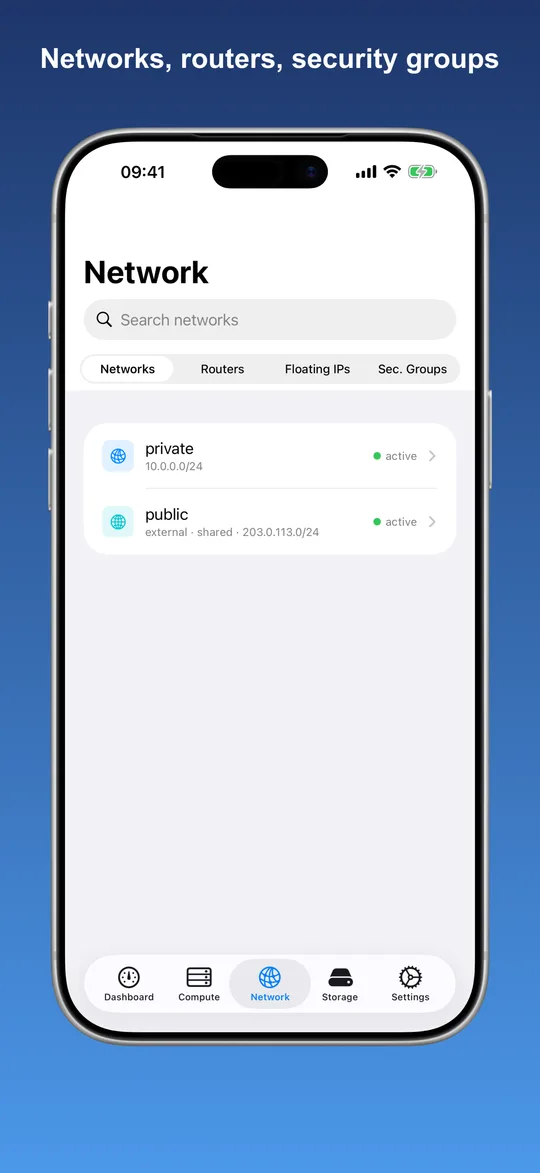
Allocate, associate, disassociate and release floating IPs. Create security groups and add rules from Horizon's templates (SSH, HTTPS, custom TCP/UDP/ICMP and more).
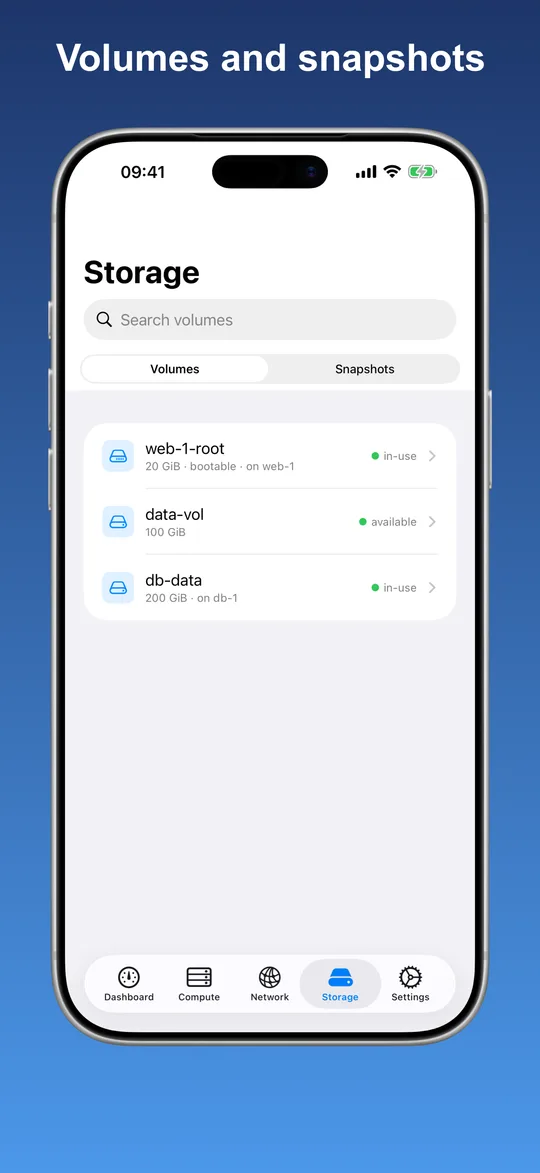
Volumes and snapshots
Volumes with their attachments, linked to the instance that uses them. Volume snapshots. Delete what you no longer need.
Errors that make sense
When the cloud says no, the app tells you why in plain words: an exhausted quota, a port already in use, a security group still attached to an instance.
Several clouds
Add as many clouds and projects as you like, rename them, and switch between them. Self-signed certificates are supported.
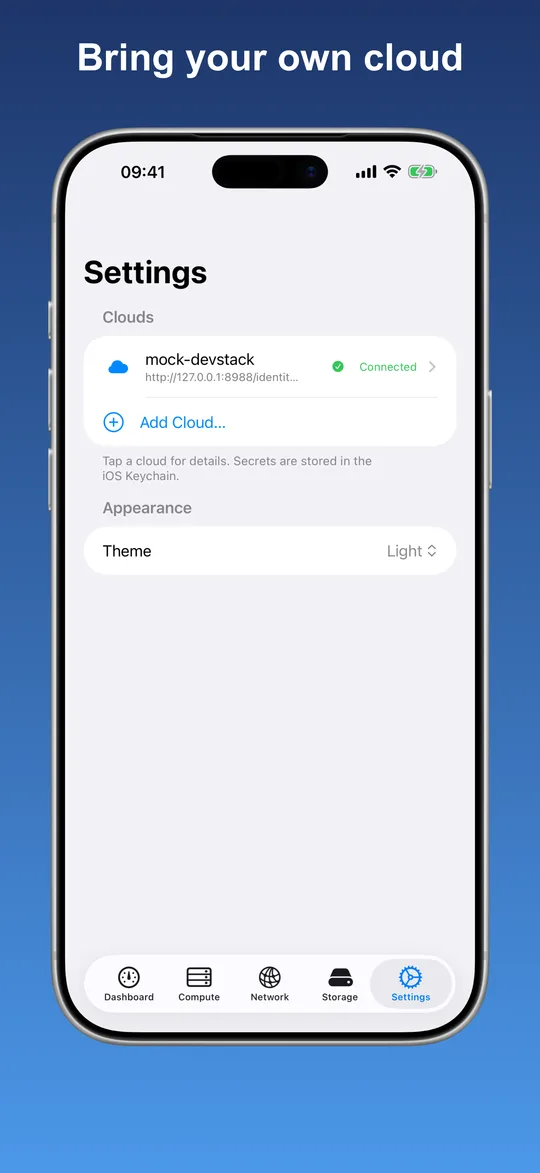
Bring your own cloud
There is nothing to set up on the cloud side. If you can use the openstack CLI, you can use OS Client: import a clouds.yaml or openrc.sh by file or by pasting it.
Keystone v3 with a password or an application credential, project scoping, region and interface selection, and token refresh all work the way you would expect. Public clouds, private clouds and DevStack are all fine.
clouds:
  mycloud:
    auth:
      auth_url: https://keystone.example.com:5000/v3
      username: alice
      project_name: web-team
      user_domain_name: Default
      project_domain_name: Default
    region_name: RegionOne
    interface: public
Made for iPad too
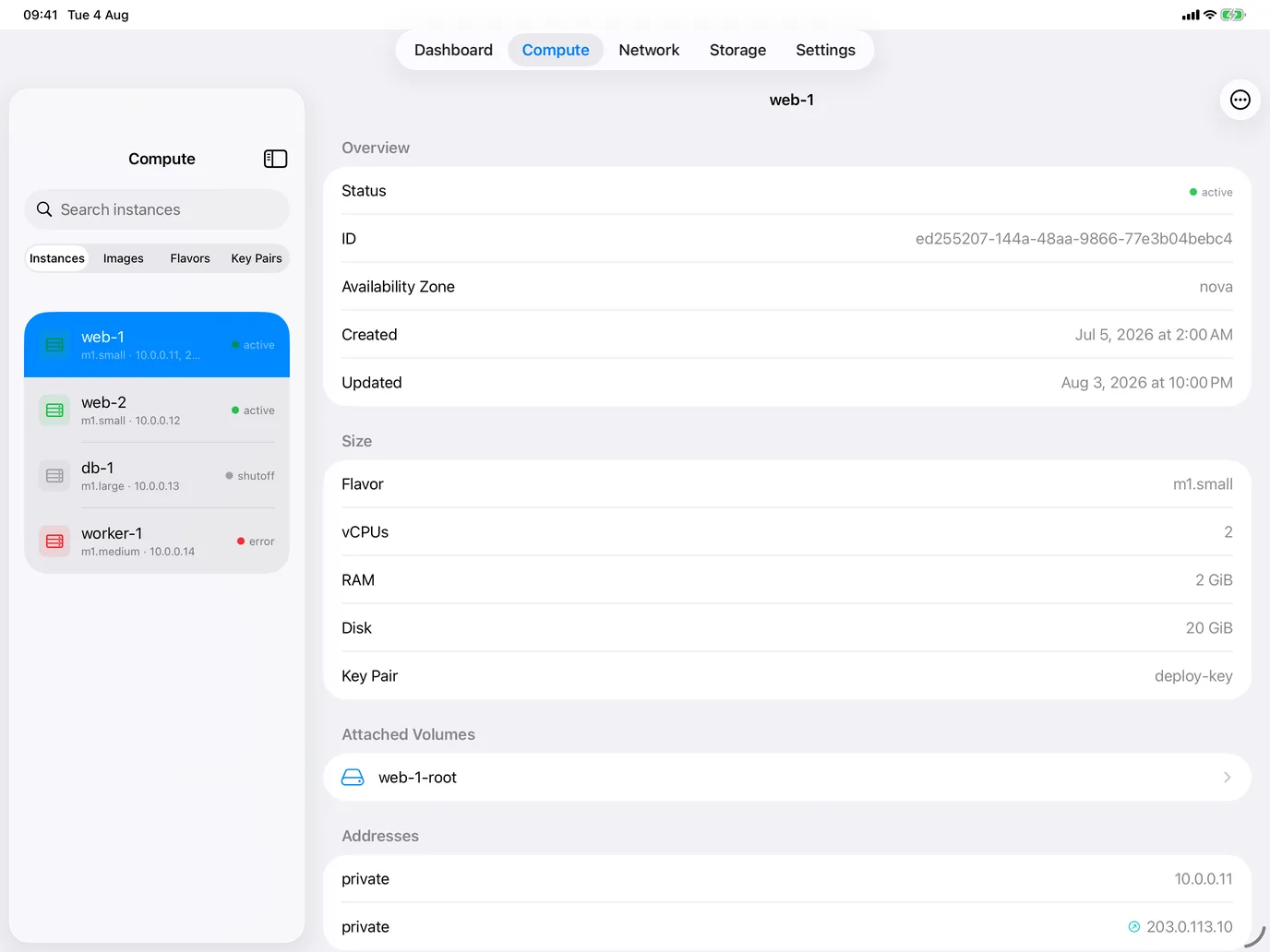
Every resource tab is a two-column split view on iPad: the list stays on the left and details open on the right. On iPhone you get the usual navigation stacks.
Your credentials stay on your device
OS Client has no server of its own. It only connects to the clouds you add. Passwords and application credential secrets are kept in the iOS Keychain, and you can fill them from iCloud Keychain, 1Password or Bitwarden with Password AutoFill.
There are no analytics, no ads and no third-party SDKs. The details are in the privacy policy.
Coming next
Being built now:
- An instance's console log and action history, for when a server will not come up.
- Switching region without re-importing the cloud.
Missing something you use every day? Tell me.